Try This Stained Glass AI Image Prompt for Your Photo
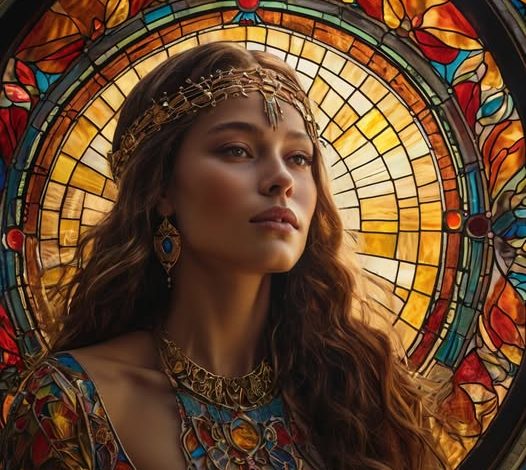
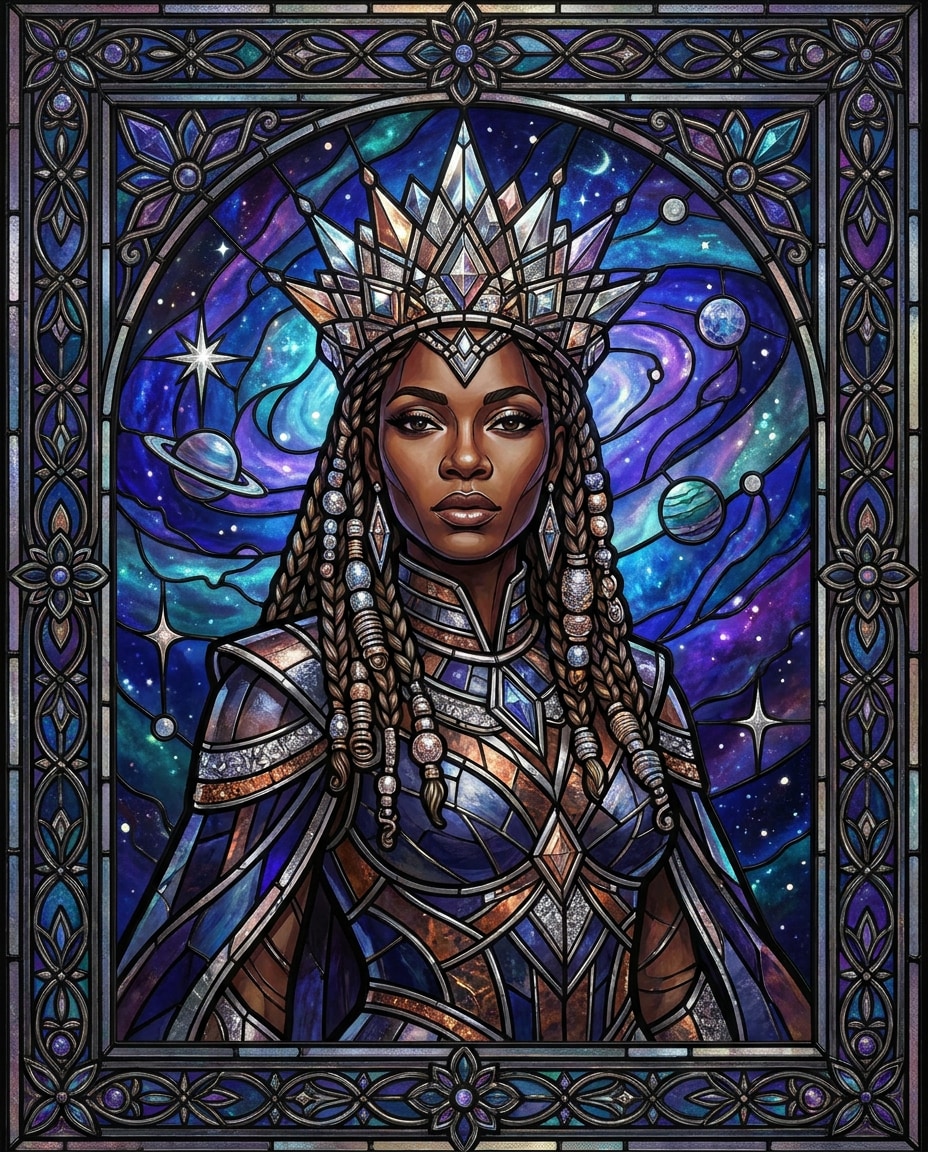
Social media is full of the same old filters. Everyone is turning themselves into anime characters or Lego figures. If you want something different, you should try a stained glass look. It is a beautiful style that makes any photo look like an ancient church window. You get bright colors, thick black lines, and a warm glow when light passes through the image. In this quick post, I will share a unique stained glass AI image prompt that you can use today. You do not need to be a designer or an expert. I will show you exactly how to do it in just a few minutes. Your friends will wonder how you made such a beautiful piece of art from a simple selfie.
What This Style Looks Like
This style mimics the classic windows you see in old cathedrals. It has very bright colors like deep blues, rich reds, and warm yellows. Every color is placed inside a small glass piece. These pieces are held together by thick black lines that look like lead metal. The overall mood is very peaceful and artistic. When you look at the image, it should feel like sun is shining through it from behind. This gives the photo a warm, glowing look. The clothing in your photo will turn into simple blocks of color. Your face will still look like you, but with clean lines and simple shading. It is not about perfect detail. Instead, it is about bold shapes and light. This style works great for portraits, pets, and even simple landscapes. It takes a normal photo and turns it into a classic piece of art that looks hundreds of years old.
The Complete Stained Glass AI Image Prompt
Here is the exact prompt you need to use. Copy and paste this text into your favorite AI tool:
A beautiful stained glass window portrait of a person, medieval cathedral style, bright colored glass pieces, thick black lead lines, sunlight shining through from behind, warm glowing light, highly detailed glass texture, mosaic pattern, classic art style, 8k resolution, photorealistic glass materialLet’s explain what each part of this stained glass AI image prompt does. The first part tells the AI the main subject. We want a stained glass window portrait. Mentioning a medieval cathedral style gives the AI a clear idea of the history and design rules to follow. This keeps it from looking like cheap modern plastic. The words bright colored glass pieces ensure the colors pop and do not look muddy or gray. Thick black lead lines are very important. They create the classic look where every piece of glass is separated by metal. Sunlight shining through from behind is the trick to getting that beautiful glow. It makes the digital image look like real glass with light passing through it. Finally, we add highly detailed glass texture and mosaic pattern so the AI adds tiny lines and bubbles inside the glass pieces. This makes the final image look like real, handmade glass. You can easily change the word “person” to “cat” or “house” if you want to try different subjects. The classic art style tag helps the AI avoid making it look like a cartoon. It keeps the shapes elegant and traditional.
Step By Step Guide
Step 1: Open Midjourney, ChatGPT, or any AI image tool you like. Midjourney is usually the best for realistic glass textures, but tools like DALL-E 3 inside ChatGPT also work very well.
Step 2: Upload your photo. Make sure you use a clear photo with good lighting. A simple headshot with a plain background works best because the AI can easily see your features.
Step 3: Paste the complete stained glass AI image prompt we wrote above into the text box.
Step 4: Add your specific details. For example, if you have brown hair, you can add “a person with brown hair” to the prompt. This helps the AI match your look more closely.
Step 5: Generate the image and review the results. Look at the lines and the light. A good image will have clear shapes and a nice glow.
Step 6: Refine the image if needed. If the colors are too dark, you can ask the AI to make the colors brighter. If the lines are too thin, tell the AI to make the black lines thicker.
If you want to learn more about how these digital tools work, you can visit the OpenAI website to see how they train their image models. Getting the perfect image might take two or three tries, but each try will give you a unique design.
Pro Tips For Best Results
Here are five easy tips to make your images look amazing:
First, use a photo with high contrast. Strong light and dark areas in your original photo help the AI decide where to place the dark lead lines.
Second, choose a straight-on photo angle. Side views can look strange when turned into flat glass pieces.
Third, keep the background simple. A busy background will create too many tiny glass pieces, which makes the image look messy.
Fourth, wear simple clothing in your photo. Plain shirts work better than shirts with words or complex patterns on them.
Fifth, ask for high resolution. Adding terms like 8k or high definition helps the AI create clean edges on the glass.
You can also read our guide on how to write better AI prompts to get more creative ideas. If you need help fixing small errors, check out our post on how to edit AI images. When you follow these rules, the AI has an easier time matching your face to the glass patterns.
Common Mistakes To Avoid
Mistake 1: Using a photo with too many people. This style works best with just one face. Too many faces make the glass pieces too small and blurry.
Mistake 2: Forgetting to mention light. If you do not ask for light from behind, your image will look flat and dark.
Mistake 3: Writing too many words. Keep your prompt simple. If you add too many details, the AI gets confused and ignores the stained glass style.
Mistake 4: Using low quality photos. If your starting photo is blurry, the AI cannot find your eyes or nose, which leads to weird faces.
Avoid these simple errors, and you will get a great result on your very first try. You can read more about glass art history on Wikipedia’s stained glass page if you want some real-world inspiration.
Now you have everything you need to create your own beautiful glass art. Copy the stained glass AI image prompt and try it with your favorite photo. It only takes a minute, and the results are always surprising. Once you make your image, share it with your friends on social media. They will love the unique look. For one final tip, try printing your finished image on glossy paper. This makes the colors look even more like real glass when the light hits the paper.